

IB-DK2251AC
DockingStation 11-in-1, dual video output
Description
ATTENTION: DisplayLink driver must be installed before use. Display and connection expansion is provided by DisplayLink video compression technology.
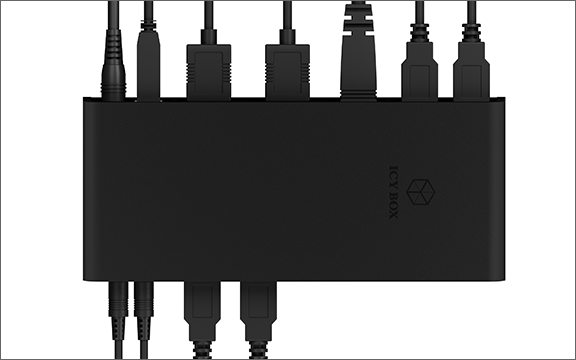
VERTICAL AND HORIZONTAL PLACEMENT: The design of the docking station provides the user with the flexibility for vertical or horizontal placement that fits well with the layout of their office décor.
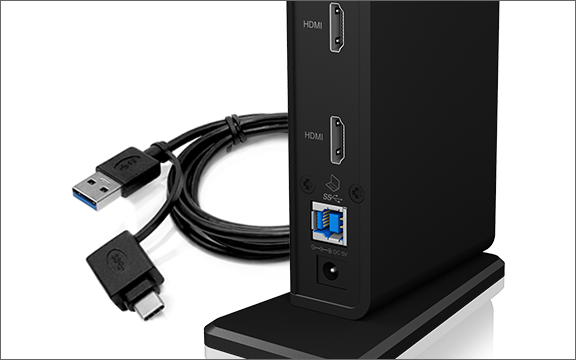
COMBI USB Type-C®/Type-A CABLE: The docking station comes with a USB Type-C®/Type-A combo cable, ensuring compatibility with a USB Type-C® or Type-A notebook.
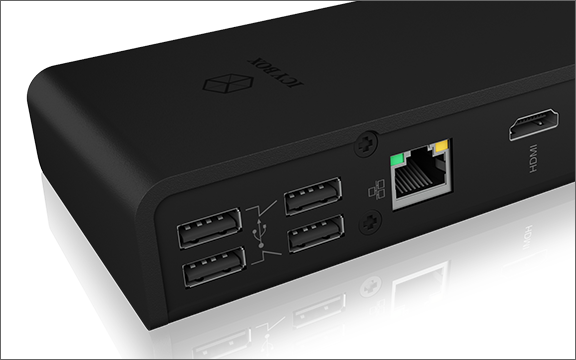
DUAL HDMI® OUTPUT: Two 2K@60 Hz HDMI® outputs can be used to connect additional monitors and enhance the overall experience.
COST-EFFICIENT DESIGN: The docking station offers the best value for money. It looks good, has a wide range of features and is affordable. Operating systems such as Windows and macOS are supported.
VERTICAL AND HORIZONTAL PLACEMENT: The design of the docking station provides the user with the flexibility for vertical or horizontal placement that fits well with the layout of their office décor.
COMBI USB Type-C®/Type-A CABLE: The docking station comes with a USB Type-C®/Type-A combo cable, ensuring compatibility with a USB Type-C® or Type-A notebook.
DUAL HDMI® OUTPUT: Two 2K@60 Hz HDMI® outputs can be used to connect additional monitors and enhance the overall experience.
COST-EFFICIENT DESIGN: The docking station offers the best value for money. It looks good, has a wide range of features and is affordable. Operating systems such as Windows and macOS are supported.
Specifications
| Packing content |
1x IB-DK2251AC
1x Plug-in Power supply
1x USB 3.0 Type-B to Type-A/Type-C® cable (100 cm)
1x Quick installation guide
|
| System requirements | Not specified |
Download
Bring diversity to the office everyday
Multitasking for all